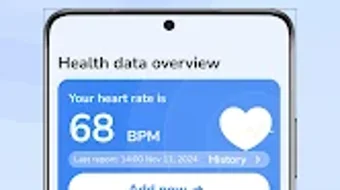

Download BPSugarTracker Pro – blood pressure tracker, blood sugar tracker, health tracking app, wellness app, diabetes management, hydration tracker, personal health log, health data visualization, blood pressure monitoring, blood sugar monitoring
Overview
BPSugarTracker Pro is a dedicated health tracking application designed for Android users seeking a reliable way to log and monitor their blood pressure and blood sugar levels. The software functions as a personal health log, enabling users to manually record their readings without any automated measurements. This distinction is crucial: the app does not measure, diagnose, or treat health conditions—it serves solely as a data management tool.
It is particularly suited for individuals managing chronic health concerns such as hypertension or diabetes, as well as those focused on maintaining long-term wellness through consistent tracking. The app supports hydration monitoring by allowing users to set daily water intake goals, integrating another key aspect of daily health management into a single interface. Real-world usage includes daily self-monitoring for patients under medical supervision, lifestyle optimization for health-conscious users, and data collection for discussions with healthcare providers.
The developer, BPSugarTracker LLC, positions the app as a simple, intuitive solution for personal health data organization, emphasizing accessibility and ease of use.
Key Features & Capabilities
- Manual Health Data Logging – Users can manually enter blood pressure and blood sugar readings, ensuring accurate personal tracking without reliance on connected devices.
- Hydration Tracking – The app includes a feature to set daily water intake goals, helping users maintain proper hydration levels over time.
- Visual Health Trends – Built-in charts display historical data trends, allowing users to identify patterns in their blood pressure and blood sugar levels.
- Data Export Functionality – Users can export their health records for backup or sharing with healthcare professionals, supporting informed medical discussions.
- Ad-Free Experience via VIP Membership – A one-time purchase grants access to a premium, uninterrupted interface, enhancing usability and user experience.
These features are designed to support consistent, long-term health monitoring. For example, a diabetic user can log glucose levels after meals and review weekly trends to adjust lifestyle habits. Similarly, someone managing high blood pressure can track morning and evening readings to assess the impact of medication or diet changes.
The export function ensures that data remains secure and portable, reducing dependency on a single device. The app’s focus on simplicity ensures that users do not need technical expertise to benefit from its capabilities. While no integration with wearables or smart devices is mentioned, the manual input method promotes mindfulness and engagement in health management.
User Interface, Workflow & Performance
The user interface of BPSugarTracker Pro is described as straightforward and intuitive, minimizing the learning curve for new users. Navigation appears to be organized around core functions—logging readings, viewing charts, and managing settings—ensuring efficient access to essential tools. The layout prioritizes clarity, with clearly labeled fields for blood pressure (systolic/diastolic) and blood sugar (in mg/dL or mmol/L, though units are not specified).
Workflow efficiency is enhanced by the ability to quickly enter data and view visual summaries without unnecessary steps. The app’s performance is not detailed in official documentation, but based on general software behavior, it is expected to operate smoothly on modern Android devices. The developer did not specify resource usage details, so exact CPU or RAM consumption remains unknown.
Stability is assumed to be consistent with standard mobile applications of this type, though no official reports on crashes or freezes were provided. The absence of ads in the VIP version suggests a streamlined experience with minimal interruptions, contributing to a more focused tracking session.
Compatibility & System Requirements
BPSugarTracker Pro is designed for Android operating systems. The current version is 3.2.1, released on March 15, 2024. The application has a file size of 24.5 MB, indicating a lightweight footprint that should install and run efficiently on most Android devices.
Compatibility information is limited to the Android platform, with no mention of support for iOS, Windows, or other operating systems. The developer did not specify minimum hardware requirements, such as RAM, processor speed, or storage space. As such, exact system requirements were not listed.
Users are advised to ensure their device meets general Android compatibility standards for third-party applications. The app does not require a constant internet connection for core functionality, allowing offline data entry and storage. However, data export may require connectivity depending on the method used.
Pros and Cons
Pros
- Intuitive, user-friendly interface with minimal learning curve
- Comprehensive tracking for blood pressure, blood sugar, and hydration
- Visual trend charts for long-term health monitoring
- Ad-free experience with VIP membership for uninterrupted use
- Ability to export data for backup or professional consultation
Cons
- No automated measurement integration (manual input only)
- Limited to Android platform; no support for iOS or desktop
- Exact system requirements not specified
- Price point may be considered high for a basic logging tool
- Does not include advanced analytics or health alerts
FAQ Section
Is BPSugarTracker Pro compatible with iOS devices?
Currently, the app is only available for Android. There is no official support for iOS devices.
Does the app require an internet connection to function?
Core functions such as logging data and viewing charts can be used offline. However, data export may require an internet connection depending on the chosen method.
Is the app safe to use for medical purposes?
BPSugarTracker Pro is designed for personal health logging only and does not measure, diagnose, or treat health conditions. It should not replace professional medical advice.
How often are updates released?
The latest version, 3.2.1, was released on March 15, 2024. Regular updates are likely to maintain compatibility and improve performance, though specific update frequency is not disclosed.
Can I use the app without a VIP membership?
Yes, the app functions without a VIP subscription. However, the standard version may include advertisements, while the VIP version offers an ad-free experience.
Final Thoughts + CTA
BPSugarTracker Pro delivers a focused, reliable solution for individuals committed to tracking their blood pressure, blood sugar, and hydration levels. Its clean interface and straightforward workflow make it accessible to users of all technical skill levels, particularly those managing chronic conditions or aiming for proactive wellness. While it lacks advanced automation and cross-platform support, its emphasis on manual logging ensures user control and data accuracy.
The inclusion of visual trend analysis and data export enhances its utility for health monitoring and medical consultations. For Android users seeking a secure, ad-free tool to manage personal health data, BPSugarTracker Pro presents a compelling option. The one-time purchase model offers long-term value, especially for those who prioritize uninterrupted tracking.
Download BPSugarTracker Pro now to take full control of your health journey.







